Your Favorite Tools, Connected to ActiveCollab
Integrate tools you love with ActiveCollab—create seamless processes and work more efficiently.
File Storage and Sharing Made Easy
No need to leave ActiveCollab for stored files somewhere else.
ActiveCollab and G-Drive Integration
Expand the ActiveCollab experience by connecting your Google account, and sharing files with the team.
ActiveCollab and Dropbox Integration
If you're used to exchanging files through Dropbox, no worries. You can attach your files to tasks or Discussions from Dropbox.
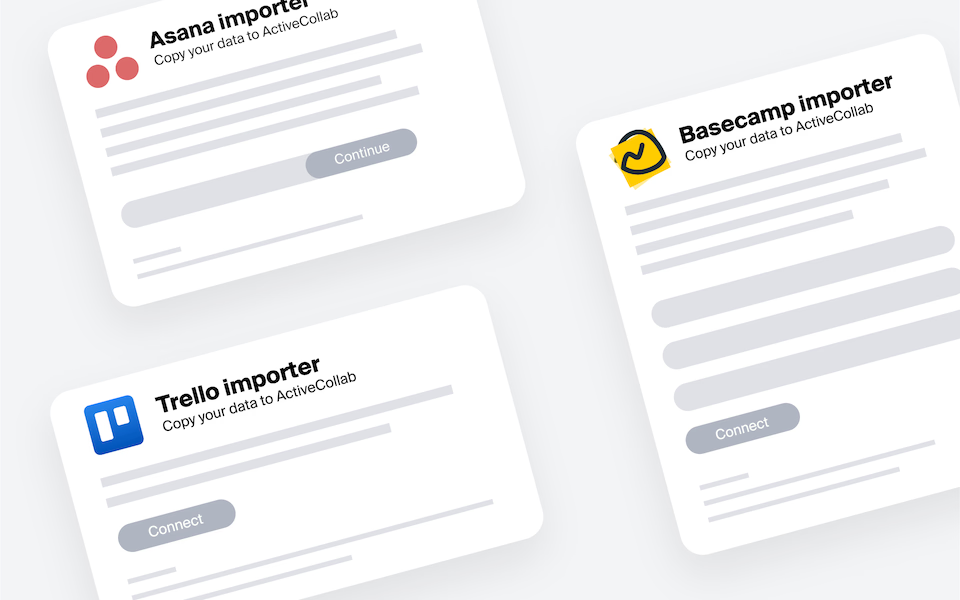
Import Projects from Tools like Trello or Asana into ActiveCollab
Don't interrupt your work! Import your projects into ActiveCollab, and pick up where you left off.
Streamline Payments with QuickBooks
Thanks to the QuickBooks integration, you can easily create invoices in QuickBooks using data your team tracks in ActiveCollab, like time, expenses, and fixed-budget projects.

"ActiveCollab helped in making the transition smooth when we were pushed toward home working and was one of the key factors in maintaining the quality of our work."
Interior Designer, Havelkadesign
"ActiveCollab sounded too good to be true. We went into our trial period with low expectations – to our surprise and delight, we were proven wrong."
Founder and Creative Director, JUICE Creative Group
"ActiveCollab allows our teams to ask questions, track and update statuses, report time, and communicate effectively and efficiently."
Director, Strategic Accounts, Xivic
"We've gotten way more efficient with our time management and communication, and a big part of that is because of ActiveCollab."
Founder and Managing Director, Rock Agency




Receive credit card or PayPal payments.
Start using the GetPaid bundle and activate payment gateways, like PayPal and Stripe. No code required!


Automation
Slack
Zapier
API Integrations
MCP Server
Webhooks
API
Get ActiveCollab for mobile.
Stay in the loop while on the go: catch up with your team, monitor progress, get updates, and more.


Frequently
Asked
Questions
Here is more info to help you decide. Contact our Customer Success team if you have other questions.
Yes! ActiveCollab lets you sync tracked time and invoicing data with external billing systems so you don’t have to duplicate work. Instead of exporting spreadsheets and manually updating invoices, data flows seamlessly into the tools you already use.
This ensures accuracy, keeps accounting simple, and saves you hours of administrative effort. Your agency gets one streamlined workflow from time logged to invoices paid.
Absolutely! ActiveCollab integrates with leading accounting tools like QuickBooks, so your financial data stays consistent across platforms. Time tracking, expenses, and invoices logged in ActiveCollab can be exported directly into your accounting system, eliminating manual entry and reducing errors.
Naturally, this means your agency gets faster reconciliation, clearer financial reporting, and a much smoother billing cycle – all while working with tools you already trust.
Both options are available. ActiveCollab offers direct integrations with popular apps, but it also connects via Zapier for extended flexibility.
That means if your agency uses a niche tool, chances are you can still connect it with ActiveCollab using third-party automation.
The best part? You’re not locked into one ecosystem! Whether it’s accounting, communication, or file storage, you can tailor integrations to match your exact workflow needs!
Yes! ActiveCollab syncs with external calendars like Google, Outlook, and iCal, so deadlines and milestones automatically appear alongside your personal schedule.
This way, you don’t have to jump between tools or worry about missing important dates.
Every update in ActiveCollab reflects in your calendar, keeping your team aligned and your agency’s scheduling crystal clear. It’s a simple integration that makes planning more predictable and much less stressful!
Yes! With integrations and automation platforms like Zapier, you can build custom workflows between ActiveCollab and your existing toolset.
For example, you can automatically create tasks from emails, log time into accounting software, or send project updates to Slack. This reduces repetitive work, minimizes errors, and keeps everything in sync. Basically, you save time, cut manual tasks, and let automation handle the boring stuff while your team focuses on client work.